
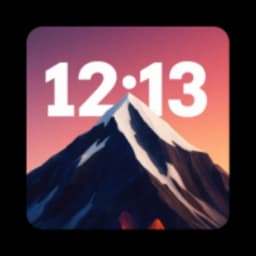
Screenshots
About DepthFX Wallpaper
DepthFX Wallpaper is a customization app that brings dynamic, depth-effect wallpapers to your Android device, drawing inspiration from premium iOS aesthetics. Transform your home and lock screens with layered visuals that add dimension and polish to your display.
Create personalized depth-effect wallpapers that reflect your style. You can take any photo from your collection or browse the app's curated selection, then seamlessly apply a depth effect to create a multi-layered look. The built-in live clock and date widget overlays your chosen image, with full control over text styling—adjust colors, fonts, and orientation to match your wallpaper perfectly. Position the time display horizontally or vertically, and customize the hour and minute text independently. For images with smoky or cloud-like elements, fine-tune the depth transparency to enhance the immersive visual experience and ensure the clock remains legible and visually integrated.
Enjoy seamless customization that delivers a polished, professional appearance. Every detail can be tailored to your preferences, from font selection and text positioning to the depth intensity within each wallpaper. This attention to customization ensures your home screen looks cohesive and refined, with the clock design harmonizing naturally with the underlying image. The app prioritizes both versatility and ease of use, so creating a visually captivating display takes just a few taps.
Enhance your screen's visual impact by merging functionality with artistry. DepthFX Wallpaper transforms your device into a dynamic display tool that goes beyond static backgrounds. For optimal results, you may need to adjust your system's lock or home screen settings to ensure maximum compatibility with the depth effects and live clock widget. The app requires Android 9 or higher.
Download DepthFX Wallpaper today and bring an elegant, dynamic style to your phone with wallpapers that truly stand out.
Pros & Cons
Pros
- Apply depth effects to any photo from your gallery or app collection
- Live clock and date widget overlay with full text customization
- Fine-tune depth transparency for layered visual effects and readability
- Extensive control over fonts, colors, positioning, and widget orientation
Cons
- Requires Android 9 or higher; incompatible with older devices
- May need manual adjustment of system lock and home screen settings
- Depth effects depend on image content; results vary by photo quality
- Limited to Android platform with no iOS or desktop alternative
Related Apps

AlienGUIse
Desktop themes and manager for Windows — transform your system with 5 futuristic designs.

SharpKeys
Remap keyboard keys to launch apps, media controls, and custom commands on Windows.

RocketDock
Desktop launcher for Windows — quick access dock with customizable icons and positioning.

Custom Resolution Utility (CRU)
Display resolution utility: Create custom resolutions for your monitor with precise refresh rate control.

Lagguy Wallpapers
Lagguy
4K & HD wallpapers for Android — minimal, abstract, nature, AMOLED designs with lifetime access

Lock Screen OS
Apps Genz
Customize your lock screen with widgets, photos, and notifications. Replace Android's default lock screen.
Latest Articles

Os melhores jogos de sobrevivência com astronautas presos em PC em 2026 (testamos 7)
Jul 13, 2026

Melhores apps para carros com Android Automotive OS em 2026
Jul 13, 2026

Melhores apps para assistir anime antologia no Android em 2026
Jul 13, 2026
Melhores aplicativos para varredura de vulnerabilidades de rede em 2026 (testamos 7)
Jul 13, 2026

Melhores aplicativos para triagem de email com IA no Android em 2026 (testamos 7)
Jul 13, 2026